Build reliable relationships in a mentoring platform
Design a frictionless journey for mentors from discovery to onboarding
My Role:
UX Designer & Researcher
Platform:
Web application,
Responsive Platform
Tools:
Adobe XD, Miro
Duration:
3 months
Overview
Empowered Future, a Canadian non-profit, they have a mentorship program and planning to develop a platform to connect emerging adults with volunteer mentors more effective and systematic.
The Problem: Empowered Future, a Canadian non-profit, faced a critical mentor shortage, creating an unsustainable ratio to mentees and limiting their impact.
Goal: Optimized the registration and onboarding process, and usability to reduce friction and address instructors’ concerns.
Challenge: Insufficient supply of mentors
Mentors’ lack of initiative to utilize our platform can result in a shortage of mentors and potential loss due to overloading and mismatches in mentorship.
💻 Technical challenge:
Consider the capacity of development team, they prefer to build a website rather web application.
💰 Financial challenge:
As a NGO, our budget is tight and resource is limited.
Research & Define
Discover usability frictions and user concerns
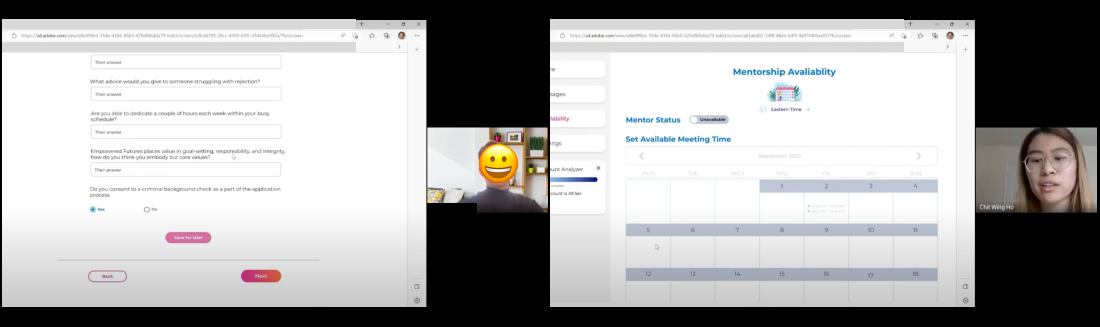
I planned and conducted 60-minute moderated usability tests on the existing flow. Each session was split into two parts: task-based testing to identify usability friction, followed by a semi-structured interview to uncover deeper motivations and concerns.
Provide details about the mentorship process, expectations, and guidelines to build user trust.
Control & Flexibility
Maximize flexibility in mentorship arrangements and allow mentors to easily manage their workload.
Guidance
Simple and easy follow onboarding process. Provide instruction and guidance.
Problem Statement
Mentors need a transparent, guided, and flexible onboarding process because feelings of uncertainty and a lack of control are significant barriers to completing their profile and committing to the program, ultimately contributing to the platform's shortage.
Feature Sheet & Priority List
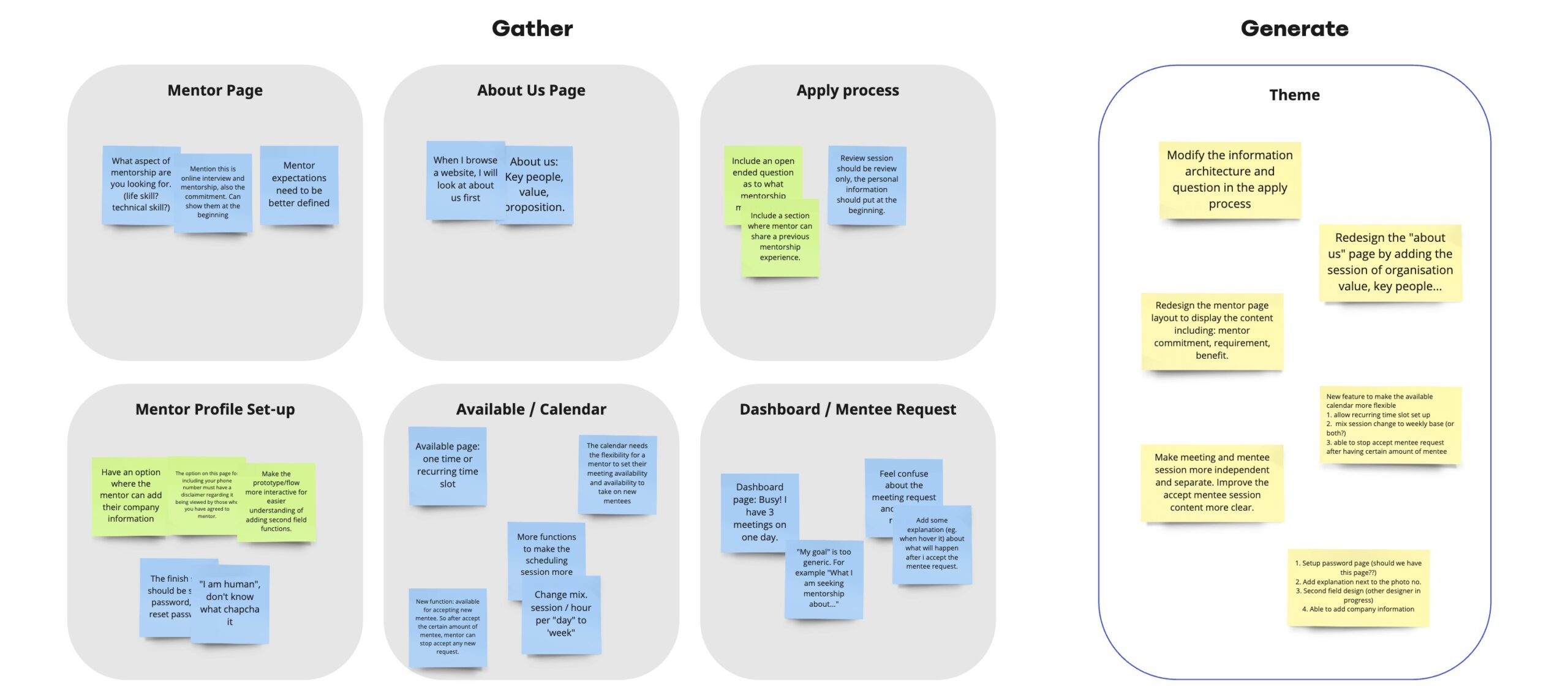
After conducting user testing, we analyzed the feedback to enhance the user flow and incorporate valuable features. We created priority lists and feature sheets, and engaged in discussions with the technical team to determine the necessary design modifications and additional features to be implemented.
Lorem ipsum dolor sit amet, consectetur adipiscing elit. Ut elit tellus, luctus nec ullamcorper mattis, pulvinar dapibus leo.
Lorem ipsum dolor sit amet, consectetur adipiscing elit. Ut elit tellus, luctus nec ullamcorper mattis, pulvinar dapibus leo.
Design & Iteration
Mapping the end-to-end mentor journey
The next critical step was translating our research insights into a tangible structure. I developed a comprehensive user flow to visualize the entire mentor acquisition journey, from initial discovery on the website through registration and profile onboarding.
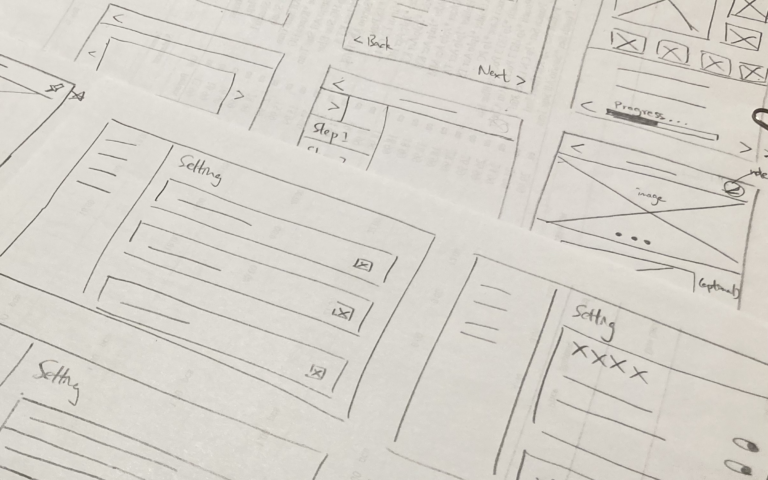
From sketches to a hi-fi prototype
Based on the usability test insights and prioritized issue list, we ideated solutions focus on addressing critical and moderate issues first. Utilizing the existing design system, we built the prototype, ensuring consistency and adherence to established design principles.
<span data-metadata=""><span data-buffer="">Comment & vote the ideas
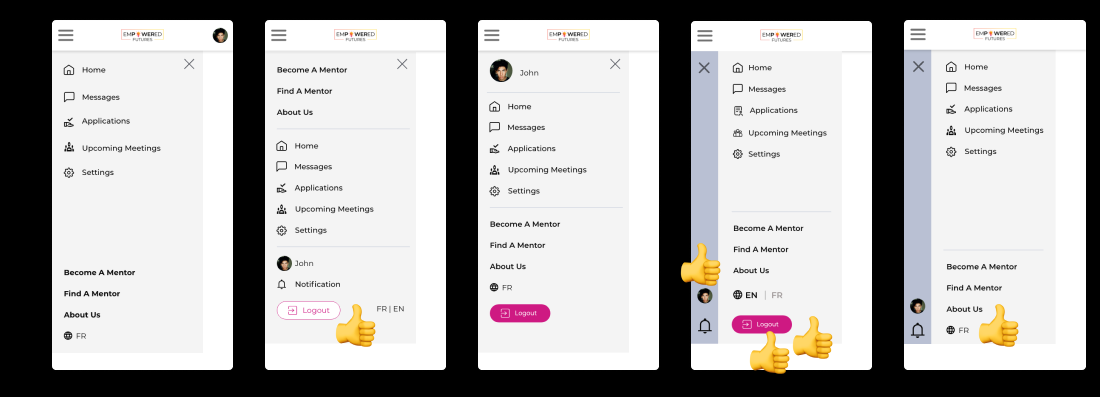
I have designed multiple versions of the high-fidelity prototype and presented my work to the design team for seeking feedback. Also, to address differing opinions on visual design, we employ a voting system to facilitate collaborative decision-making and arrive at a final design choice.
Design Solutions
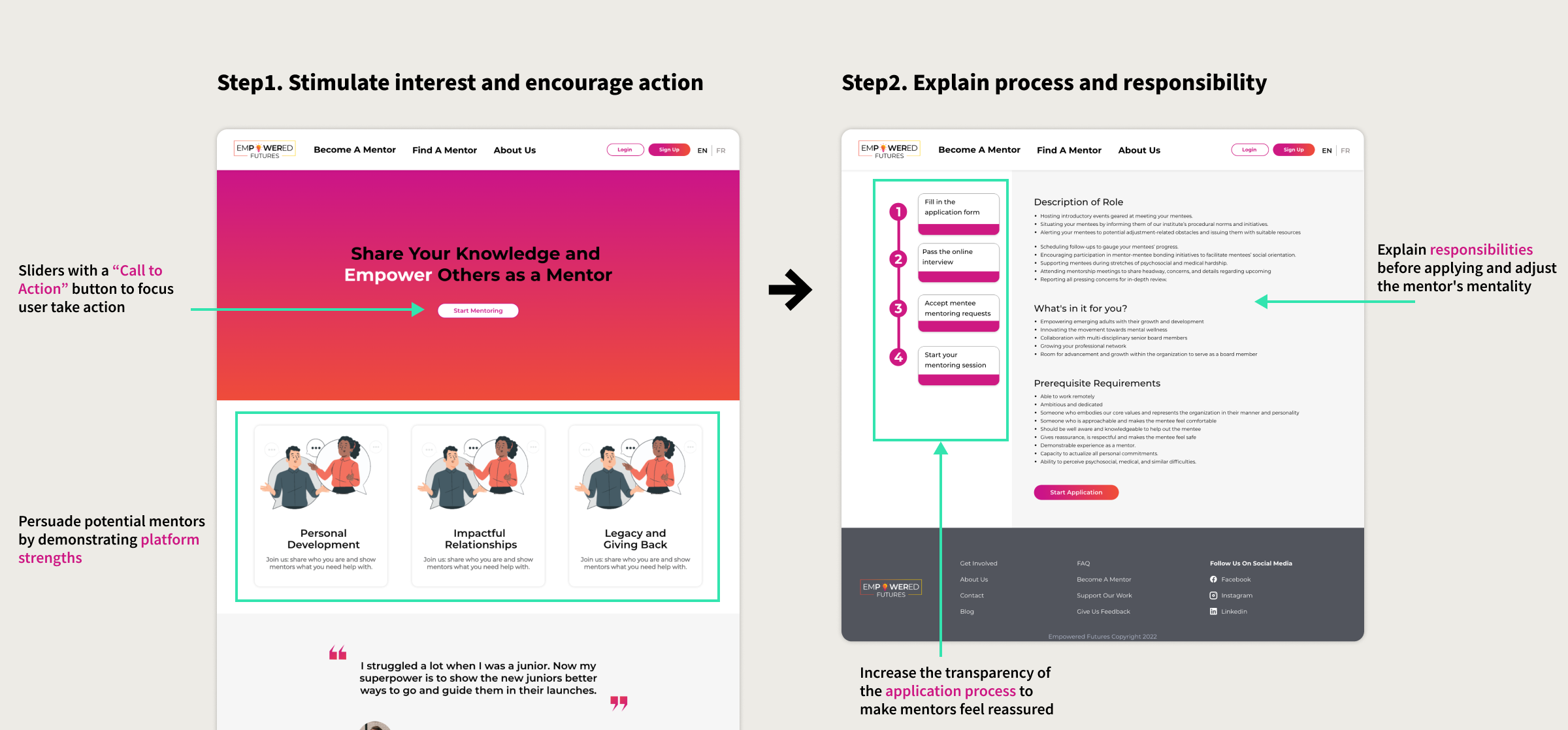
Clear and intuitive application process
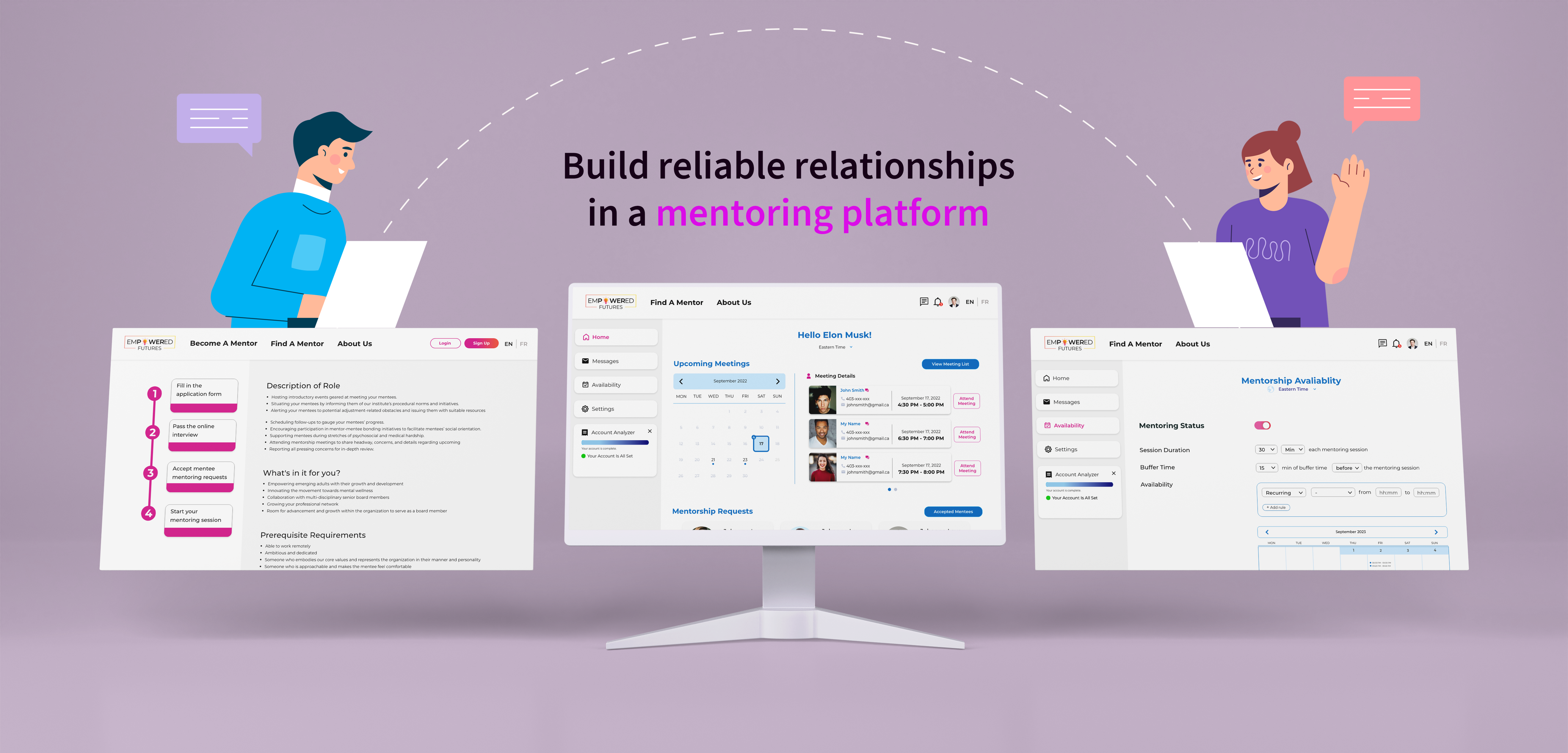
I have revamped the design of the “Become a Mentor” page to resemble a captivating landing page. The layout ensures that vital information is readily accessible to potential mentors, with a prominent call-to-action button that guides them towards taking the desired action of “being a mentor”. The refined design streamlines the content, delivering it in a concise and impactful manner, effectively conveying the necessary information and encouraging user engagement.
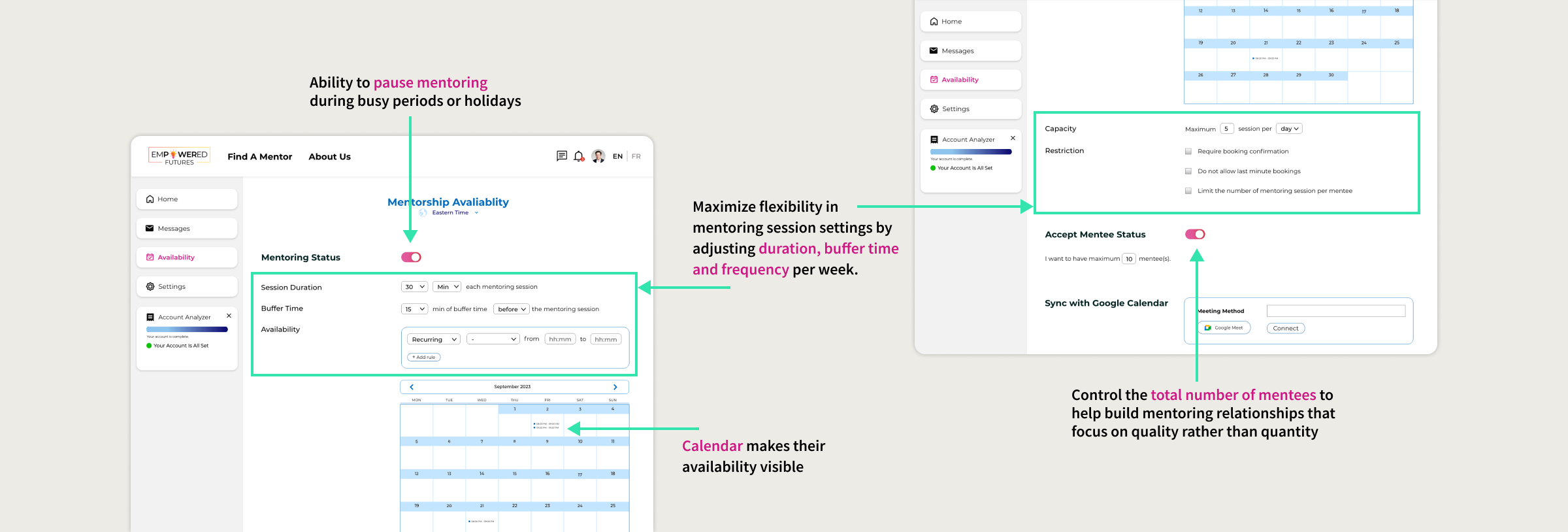
Flexible availability settings for managing workloads
After discussion, we decided to increase mentor control by introducing additional setting options. In the setup process, mentors will now have the capability to estimate and adjust their mentoring commitments on a weekly or even daily basis. Moreover, they can easily schedule breaks during busy periods, providing them with more flexibility and control over their workloads.
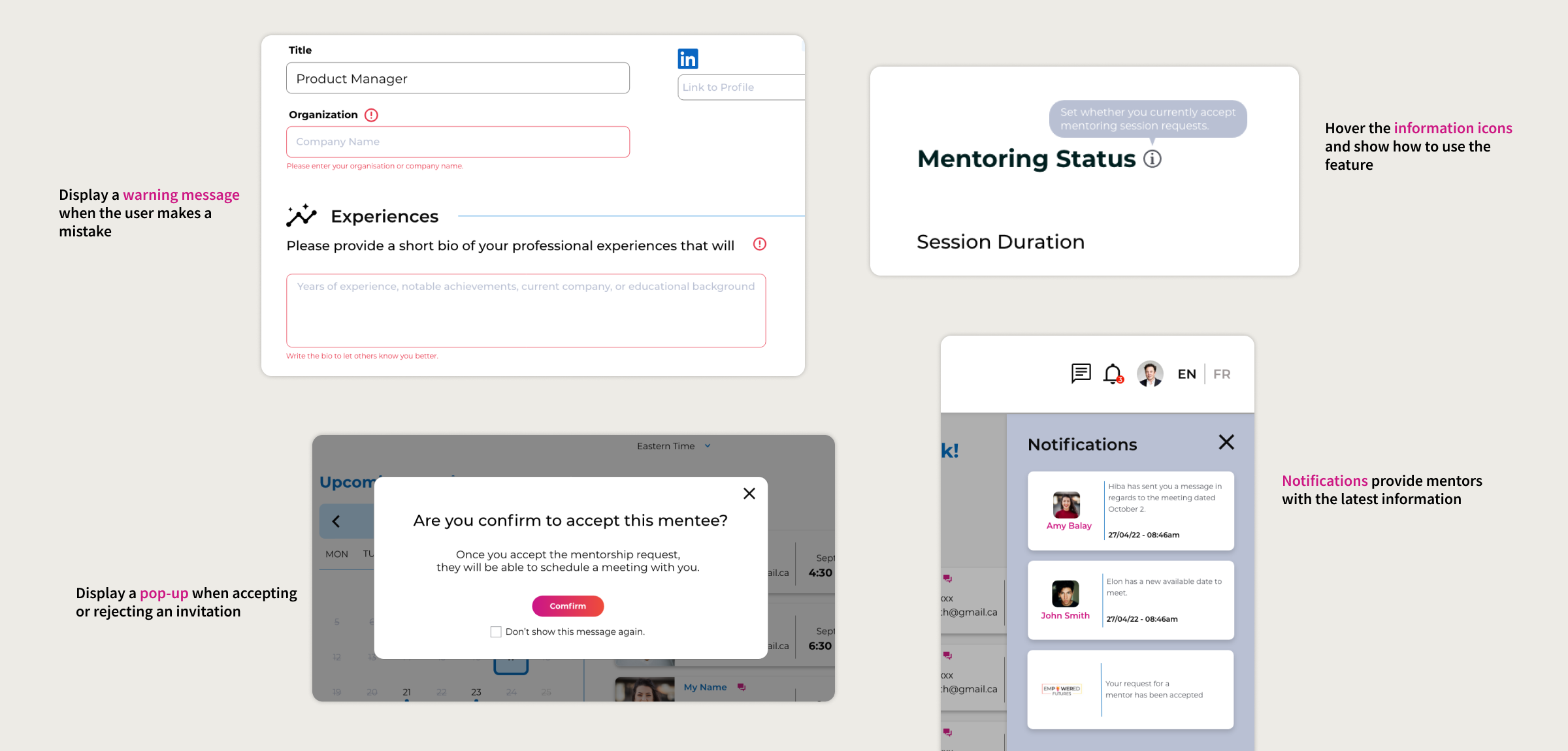
Provide contextual help during onboarding
In order to provide a seamless and supportive user experience, I added some information icons, pop-ups, warning messages, and notifications to assist users in making decisions, allowing them to quickly become familiar with the platform’s functions and the entire mentorship process.
<span data-metadata=""><span data-buffer="">Follow design system
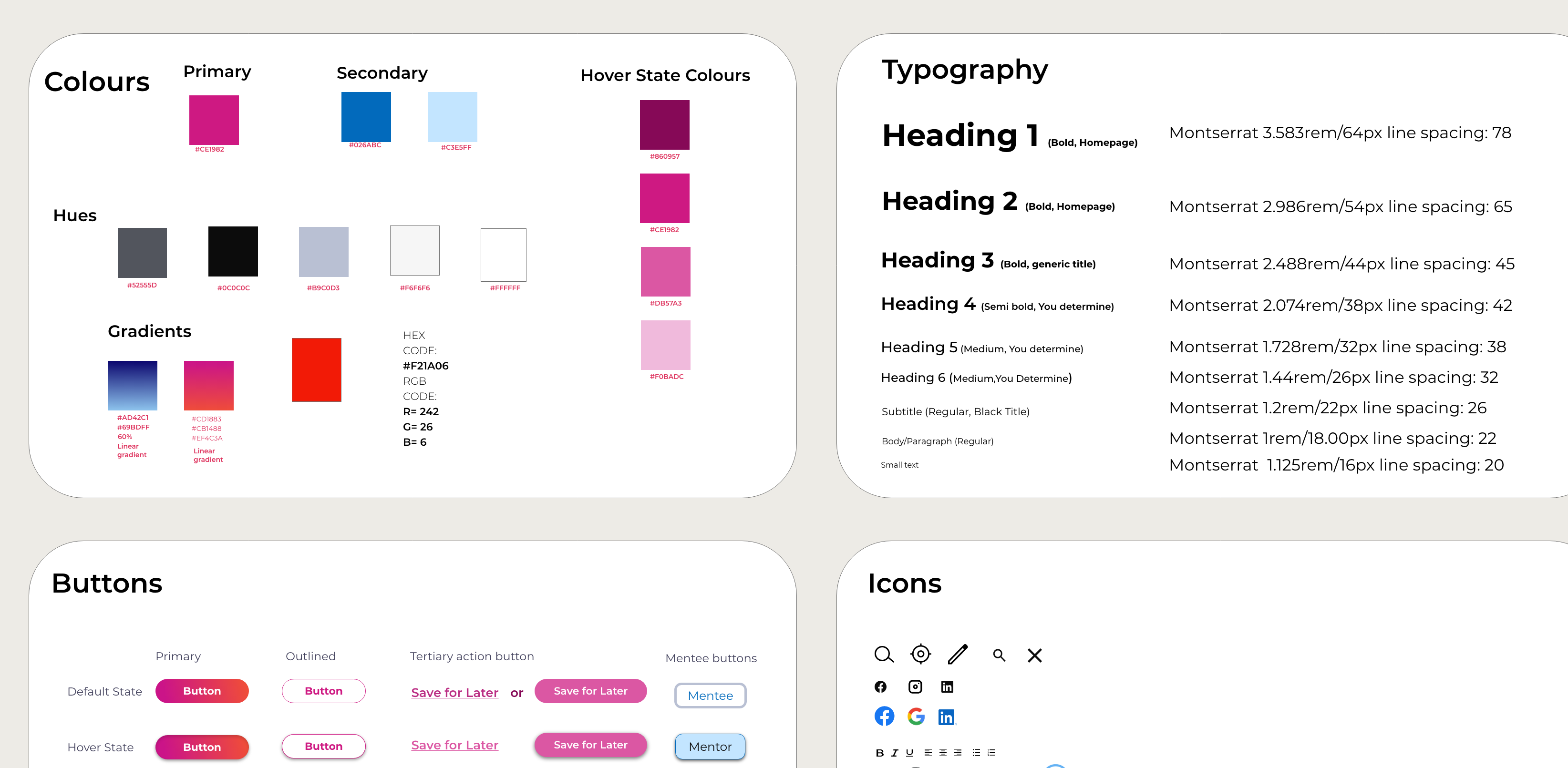
During the design process, we followed the design system to maintain consistency in style between the website and platform. At the same time, as new features are created, we may introduce new components to expand the existing design system, ensuring its continuous growth and relevance.
Final prototype
The value I create...
Draw attention to landing page conversion rates rather than just the design of the platform
Enhance user experience by modify the key feature of the mentoring platform
Deliver high-fidelity prototypes to developers within timeline
Draw attention to landing page conversion rates rather than just the design of the platform
Clarify our product positioning and unique features that differentiate us from other tutoring platforms
Determine the key elements for the long-term operation of the tutor platform to prevent shortage of tutors after launch
Future Steps
What’s next?
Conducted next round of usability testing to make sure the users can finish the task smoothly.
Hand over the desktop version to the developer and commence the design process for the mobile version.
Post-launch and after a specified period, conduct user surveys to gather valuable feedback from platform users.
Hand over the desktop version to the developer and commence the design process for the mobile version.
Analyze website data metrics, such as conversion rates, average session duration, and drop-off rates, to evaluate the effectiveness of converting potential users into registered users.
Post-launch and after a specified period, conduct user surveys to gather valuable feedback from platform users.
Reflection
Key takeaways
Experience of usability testing: Gained strong skills in user research, from creating test scenarios to analyzing feedback, ensuring user-centered design improvements.
Consider development cost: Need to prioritize design features that balanced user impact with development cost.
The Power of “Less is More”: Simplify complex designs to enhance usability and avoid overwhelming users with too many choices.
In the user testing session, I would ask more follow-up question such as what feature they think is the most important to understand their needs better.
If we had more budget and resources, I would do usability testing every time there is a big change in the design.
Even when designing the desktop version, consider the flexibility of mobile design is also important. Have a mobile first concept.